

Skin:Lakeus
 リリースの状態: 安定 |
|||
|---|---|---|---|
 |
|||
| 作者 | |||
| 最新バージョン | 1.2.0 (2024-04-26) | ||
| 互換性の方針 | MediaWiki とともにリリースされるスナップショット。 master には後方互換性がありません。 | ||
| MediaWiki | 1.36+ | ||
| ライセンス | GNU 一般公衆利用許諾書 3.0 以降 | ||
| ダウンロード | GitHub: |
||
| 例 | |||
|
|||
| 使用している公開ウィキ | 3 (Ranked 215th) | ||
| 既定の外装として使用している公開ウィキ | 0 | ||
| translatewiki.net で翻訳を利用できる場合は、Lakeus 外装の翻訳にご協力ください | |||
Lakeus は、シンプルでありながら、すべての機能を備えた外装を目指しています。 作者の一人であるLakejason0さんの小説の登場人物にちなんで名づけられたものです。
インストール
- ダウンロードして、ファイルを
skins/フォルダー内のLakeusという名前のディレクトリ内に配置します。 - ファイル LocalSettings.php の末尾に以下のコードを追加してください:
wfLoadSkin( 'Lakeus' );
 完了 - 自分のウィキの Special:Version に移動して、外装が正しくインストールされたことを確認してください。

特徴
- シンプルだが、すべての機能を備えている(少なくとも、ほとんどの機能が使えるはずだ)。
- JavaScript が無効でも動作します。
- CSS変数によるカスタマイズ。
- レスポンシブデザインを採用。 デスクトップとタブレットで動作するはずです。
- Sticky TOC. May be unstable.
- テーマデザイナーです。 個人設定で有効にすることで、リアルタイムにテーマを変更したり、プレビューしたりすることができます。 ほとんどの場合、基本的な変数に少し手を加えるだけで、自動で計算されたテーマが出来上がります。
- ちょっとバグが多くて不安定かもしれないので、不具合があったら必ず報告してくださいね。 ご不満な場合は、いつでも自動計算を無効にすることができます。
注記
- この外装は JavaScript がない場合でも使用できるはずです。 ただし、いくつかの便利な機能は使用できない場合があります。
- 中国語 (
zh) やセルビア語など、LanguageConverter 言語変種がある言語を使用しているサイト専用のメニューを作成しました。 利用できる言語変種がない場合、メニューは非表示になっているはずです。 - RTL対応は十分に検証されていませんが、主要な機能はRTL対応であることが確認されています(サイドバーメニューなど)。
カスタマイズ
CSSの変数
true to bypass it after understanding the risks.LakeusはCSS変数によるカスタマイズをサポートしています。 Below are several methods to generate a theme, and to apply the result (should be CSS code) you'll need to copy it to Lakeus.css, which can be found on MediaWiki:Lakeus.css for all wiki users, and Special:MyPage/Lakeus.css for yourself.
テーマデザイナー
テーマデザイナーを使えば、誰でも簡単にできるようになる(少なくとも私はそう願っている)。 基本的な変数を変更するだけで、あとは自動的に計算されます。 自動計算された結果があまり好きでない変数ごとに自動計算を無効にして、手動で好きなように微調整することができます。
これを有効にするには、個人設定から「外観」を選択し、外装 Lakeus を選択するとオプションが見つかります。 一度有効にすると、すべてのページで読み込まれるようになりました。
基本的にすべてのボタンとフォームの入力は、文字どおりの意味を持ちます。 すべてのページに表示されない変数がいくつかあり、それらは以下のようになります。
- インターフェイスのメッセージボックス。 These elements appears in situations like that a user group setting is successfully applied when JavaScript disabled, translation page edit notice warning, MediaWiki exceptions that appears on page editing, user talk page notices with no Echo and other notification extensions installed, and so on.
プリセットテーマ
すでに用意されているプリセットテーマを使用することができます。 トークページでも、自分のテーマを共有することができます。 なかったらまた来てください。
ヴィンテージ
1.1.7で最後にエクスポートされたヴィンテージテーマ。
| 展開すると表示されるコンテンツ |
|---|
:root {
    --color-primary: #8e860a;
    --color-secondary: #eeebe7;
    --color-neutral: #a2a9b1;
    --color-warning: #ffcc33;
    --color-error: #dd3333;
    --color-success: #14866d;
    --color-header: rgba(238,235,231,0);
    --color-link: #0645ad;
    --color-secondary--derived: #f8f9fa;
    --border-color-secoundary--derived: #a2a9b1;
    --font-family: 'Roboto', -apple-system, blinkmacsystemfont, 'Segoe UI', 'Oxygen', 'Ubuntu', 'Cantarell', 'Helvetica Neue', sans-serif;
    --font-family-serif: 'Linux Libertine', 'Times New Roman', 'Liberation Serif', 'Nimbus Roman', 'Noto Serif', 'Times', serif;
    --elevation: 0 2px 2px rgba( 0, 0, 0, 10% );
    --background-color-base: #eeebe7;
    --color-link--visited: #001f7d;
    --color-link--active: #5670e0;
    --color-link-new: #dd3333;
    --color-link-new--visited: #a4000c;
    --color-link-new--active: #ff6a5d;
    --color-link-external: #003da3;
    --color-link-external--visited: #001873;
    --color-link-external--active: #5267d5;
    --header-elevation: unset;
    --text-color-header: #000000;
    --icon-filter-header: unset;
    --background-color-search-suggestions: #eeebe7;
    --border-color-search-suggestions: #8c8985;
    --background-color-search-suggestions-current: #8e860a;
    --color-search-suggestions-text: #000000;
    --color-search-suggestions-text-current: #ffffff;
    --background-color-search-input: #eeebe7;
    --border-color-search-bar: #8c8985;
    --background-color-toggle-list: #ffffff;
    --background-color-toggle-list-card: #8e860a;
    --text-color-toggle-list-item: #000000;
    --background-color-toggle-list-item-hover: rgba(0,0,0,0.1);
    --text-color-toggle-list-item-hover: #000000;
    --background-color-toggle-list-item-focus: rgba(0,0,0,0.2);
    --text-color-toggle-list-item-focus: #000000;
    --border-color-toggle-list: #9b9b9b;
    --subheader-color-toggle-list: #6a6a6a;
    --logo-text-color-toggle-list: #ffffff;
    --mask-background: rgba(0,0,0,0.8);
    --background-color-content: #eeebe7;
    --text-color-content: #24220a;
    --background-color-body: #eeebe7;
    --text-color-body: #000000;
    --border-color-content: #bcb9b5;
    --color-accent-header-tab: #8e860a;
    --color-accent-header-tab-selected: #8e860a;
    --color-accent-header-tab-new: #8e860a;
    --border-color-header-tab: #eaecf0;
    --color-tagline: rgba(0,0,0,0.5);
    --font-family-headings: var(--font-family-serif);
    --background-color-edit-options: #eeeeee;
    --border-color-edit-options: #c8ccd1;
    --background-color-toc: #e4e1dd;
    --border-color-toc: #b2afab;
    --color-toc-number: #0d0d0d;
    --border-color-interface-message-box-neutral: #a2a9b1;
    --background-color-interface-message-box-neutral: #e5e7ea;
    --text-color-interface-message-box-neutral: #000000;
    --border-color-interface-message-box-warning: #ffcc33;
    --background-color-interface-message-box-warning: #ffe69a;
    --text-color-interface-message-box-warning: #000000;
    --border-color-interface-message-box-error: #dd3333;
    --background-color-interface-message-box-error: #fae2e2;
    --text-color-interface-message-box-error: #000000;
    --border-color-interface-message-box-success: #14866d;
    --background-color-interface-message-box-success: #d9ebe7;
    --text-color-interface-message-box-success: #000000;
    --border-color-user-message: #ffa500;
    --background-color-user-message: #ffe4b3;
    --text-color-user-message: #000000;
    --background-color-wikitable: #e9e6e2;
    --text-color-wikitable: #030303;
    --border-color-wikitable: #9e9c98;
    --background-color-wikitable-table-head: #dfdcd8;
    --background-color-portlet-body: #ffffff;
    --background-color-portlet-item-hover: rgba(0,0,0,0.1);
    --background-color-portlet-item-focus: rgba(44,44,44,0.1);
    --border-color-portlet-body: #ffffff;
    --background-color-footer: #dad7d3;
    --text-color-footer: #000000;
    --color-footer-link: #0645ad;
    --color-footer-link--visited: #001f7d;
    --color-footer-link--active: #5670e0;
}
|
オーシャン
水色を基調としたテーマで、最後にエクスポートされたのは1.1.15です。
| 展開すると表示されるコンテンツ |
|---|
:root {
    --color-primary: #3366cc;
    --color-secondary: #f4fcff;
    --color-neutral: #a2a9b1;
    --color-warning: #ffcc33;
    --color-error: #dd3333;
    --color-success: #14866d;
    --color-header: #e2f4fe;
    --color-link: #0645ad;
    --color-secondary--derived: #f8f9fa;
    --border-color-secondary--derived: #a2a9b1;
    --font-family: 'Roboto', -apple-system, blinkmacsystemfont, 'Segoe UI', 'Oxygen', 'Ubuntu', 'Cantarell', 'Helvetica Neue', sans-serif;
    --font-family-serif: 'Linux Libertine', 'Times New Roman', 'Liberation Serif', 'Nimbus Roman', 'Noto Serif', 'Times', serif;
    --elevation: 0 2px 2px rgba( 0, 0, 0, 10% );
    --background-color-base: #f4fcff;
    --color-link--visited: #001f7d;
    --color-link--active: #5670e0;
    --color-link-new: #dd3333;
    --color-link-new--visited: #a4000c;
    --color-link-new--active: #ff6a5d;
    --color-link-external: #003da3;
    --color-link-external--visited: #001873;
    --color-link-external--active: #5267d5;
    --header-elevation: var(--elevation);
    --text-color-header: #000000;
    --icon-filter-header: unset;
    --background-color-search-suggestions: #f4fcff;
    --border-color-search-suggestions: #91989b;
    --background-color-search-suggestions-current: #3366cc;
    --color-search-suggestions-text: #000000;
    --color-search-suggestions-text-current: #ffffff;
    --background-color-search-input: #f4fcff;
    --border-color-search-bar: #91989b;
    --background-color-toggle-list: #f4fcff;
    --background-color-toggle-list-card: #3366cc;
    --text-color-toggle-list-item: #000000;
    --background-color-toggle-list-item-hover: rgba(51,102,204,0.1);
    --text-color-toggle-list-item-hover: #3366cc;
    --background-color-toggle-list-item-focus: rgba(35,93,194,0.2);
    --text-color-toggle-list-item-focus: #3366cc;
    --border-color-toggle-list: #91989b;
    --subheader-color-toggle-list: #0955b8;
    --logo-text-color-toggle-list: #ffffff;
    --mask-background: rgba(0,0,0,0.8);
    --background-color-content: #f4fcff;
    --text-color-content: #000000;
    --background-color-body: #f4fcff;
    --text-color-body: #000000;
    --border-color-content: #c1c9cc;
    --font-family-action-bar: var(--font-family);
    --color-accent-header-tab: #3366cc;
    --color-accent-header-tab-selected: #3366cc;
    --color-accent-header-tab-new: #3366cc;
    --border-color-header-tab: #eaecf0;
    --color-tagline: rgba(0,0,0,0.7);
    --font-family-headings: var(--font-family-serif);
    --background-color-edit-options: #eeeeee;
    --border-color-edit-options: #c8ccd1;
    --background-color-toc: #eaf2f5;
    --border-color-toc: #b7bfc2;
    --color-toc-number: #0d0d0d;
    --border-color-interface-message-box-neutral: #a2a9b1;
    --background-color-interface-message-box-neutral: #e5e7ea;
    --text-color-interface-message-box-neutral: #000000;
    --border-color-interface-message-box-warning: #ffcc33;
    --background-color-interface-message-box-warning: #ffe69a;
    --text-color-interface-message-box-warning: #000000;
    --border-color-interface-message-box-error: #dd3333;
    --background-color-interface-message-box-error: #fae2e2;
    --text-color-interface-message-box-error: #000000;
    --border-color-interface-message-box-success: #14866d;
    --background-color-interface-message-box-success: #d9ebe7;
    --text-color-interface-message-box-success: #000000;
    --border-color-user-message: #ffa500;
    --background-color-user-message: #ffe4b3;
    --text-color-user-message: #000000;
    --background-color-wikitable: #eff7fa;
    --text-color-wikitable: #030303;
    --border-color-wikitable: #a4abae;
    --background-color-wikitable-table-head: #e5ecef;
    --background-color-portlet-body: #ffffff;
    --text-color-portlet-item: #3366cc;
    --background-color-portlet-item-hover: rgba(51,102,204,0.1);
    --text-color-portlet-item-hover: #3366cc;
    --background-color-portlet-item-focus: rgba(112,147,255,0.1);
    --text-color-portlet-item-focus: #3366cc;
    --border-color-portlet-body: #ffffff;
    --background-color-footer: #dfe7ea;
    --text-color-footer: #000000;
    --color-footer-link: #0645ad;
    --color-footer-link--visited: #001f7d;
    --color-footer-link--active: #5670e0;
    --background-color-toc-button: #f4fcff;
    --icon-filter-toc-button: unset;
    --text-color-sticky-toc-number: rgba(51,102,204,0.7);
}
|
ArchWiki
A theme that imitates ArchWiki, last exported on version 1.1.18.r11.gdf47be3.
| 展開すると表示されるコンテンツ |
|---|
:root {
    --color-primary: #0077bb;
    --color-secondary: #ffffff;
    --color-neutral: #a2a9b1;
    --color-warning: #ffcc33;
    --color-error: #dd3333;
    --color-success: #14866d;
    --color-header: #333333;
    --color-link: #0077bb;
    --elevation: 0 2px 2px rgba( 0, 0, 0, 10% );
    --background-color-base: #f6f9fc;
    --color-link--visited: #004c8a;
    --color-link--active: #57a6ee;
    --color-link-new: #bb4400;
    --color-link-new--visited: #840f00;
    --color-link-new--active: #f47334;
    --color-link-external: #006eb1;
    --color-link-external--visited: #004481;
    --color-link-external--active: #559ce3;
    --header-elevation: inset 0px -5px 0px 0px #08c;
    --text-color-header: #ffffff;
    --icon-filter-header: invert(1) hue-rotate(180deg);
    --background-color-search-suggestions-current: #0077bb;
    --background-color-toggle-list: #ffffff;
    --background-color-toggle-list-card: #0077bb;
    --text-color-toggle-list-item: #000000;
    --background-color-toggle-list-item-hover: rgba(0,119,187,0.1);
    --text-color-toggle-list-item-hover: #0077bb;
    --background-color-toggle-list-item-focus: rgba(0,110,177,0.2);
    --text-color-toggle-list-item-focus: #0077bb;
    --subheader-color-toggle-list: #0065a7;
    --logo-text-color-toggle-list: #ffffff;
    --mask-background: rgba(0,0,0,0.8);
    --background-color-content: #ffffff;
    --text-color-content: #000000;
    --background-color-body: #f6f9fc;
    --text-color-body: #000000;
    --color-accent-header-tab: #0077bb;
    --color-accent-header-tab-selected: #0077bb;
    --color-accent-header-tab-new: #0077bb;
    --color-tagline: rgba(0,0,0,0.7);
    --background-color-portlet-body: #ffffff;
    --text-color-portlet-item: #000000;
    --background-color-portlet-item-hover: rgba(0,119,187,0.1);
    --text-color-portlet-item-hover: #0077bb;
    --background-color-portlet-item-focus: rgba(87,166,238,0.1);
    --text-color-portlet-item-focus: #0077bb;
    --background-color-footer: #f6f9fc;
    --text-color-footer: #000000;
    --color-footer-link: #0077bb;
    --color-footer-link--visited: #004c8a;
    --background-color-toc-button: #ffffff;
    --icon-filter-toc-button: unset;
    --text-color-sticky-toc-number: rgba(0,0,0,0.7);
}


#content {
    border: 1px solid var(--border-color-content);
}

@media screen and ( max-width: 720px ) {
    #content {
    	border-left: none; // no left and right border when #content is as wide as viewport; adjust the value if not appropriate
    	border-right: none;
    }
}

#ca-uls .uls-trigger {
    background-image: none;
    padding-left: 0;
}
|
手動で変数を変更する
下記は、CSS 変数の既定の設定です。これらの設定を変更し、結果をあなたの Lakeus.css に記載します:
| 展開すると表示されるコンテンツ |
|---|
:root {
  --color-primary: #3366cc;
  --color-secondary: #ffffff;
  --color-neutral: #a2a9b1;
  --color-error: #d33;
  --color-warning: #fc3;
  --color-success: #14866d;
  --background-color-base: var(--color-secondary);
  --background-color-body: var(--color-secondary);
  --background-color-content: var(--color-secondary);
  --background-color-footer: #eee;
  --background-color-toggle-list: var(--color-secondary);
  --background-color-portlet-body: var(--color-secondary);
  --background-color-toggle-list-card: #eee;
  --background-color-toggle-list-item-hover: rgba(0, 0, 0, 0.1);
  --background-color-toggle-list-item-focus: rgba(0, 0, 0, 0.2);
  --background-color-portlet-item-hover: rgba(0, 0, 0, 0.1);
  --background-color-portlet-item-focus: rgba(0, 0, 0, 0.2);
  --background-color-edit-options: #eee;
  --background-color-search-suggestions: var(--color-secondary);
  --background-color-search-suggestions-current: var(--color-primary);
  --background-color-search-input: var(--color-secondary);
  --background-color-toc: #f8f9fa;
  --background-color-interface-message-box-neutral: #eaecf0;
  --background-color-interface-message-box-error: #fee7e6;
  --background-color-interface-message-box-warning: #fef6e7;
  --background-color-interface-message-box-success: #d5fdf4;
  --background-color-user-message: #ffce7b;
  --background-color-wikitable: #f8f9fa;
  --background-color-wikitable-table-head: #eaecf0;
  --background-color-toc-button: #fff;
  --border-color-edit-options: #c8ccd1;
  --border-color-content: #ccc;
  --border-color-toggle-list: #ddd;
  --border-color-search-suggestions: #c8ccd1;
  --border-color-search-bar: var(--color-gray-2);
  --border-color-portlet-body: var(--color-gray);
  --border-color-header-tab: var(--color-gray-2);
  --border-color-toc: #a2a9b1;
  --border-color-interface-message-box-neutral: var(--color-neutral);
  --border-color-interface-message-box-error: var(--color-error);
  --border-color-interface-message-box-warning: var(--color-warning);
  --border-color-interface-message-box-success: var(--color-success);
  --border-color-user-message: #ffa500;
  --border-color-wikitable: #a2a9b1;
  --subheader-color-toggle-list: #6a6a6a;
  --logo-text-color-toggle-list: #000000;
  --text-color-toggle-list-item: #1c1c1c;
  --text-color-toggle-list-item-hover: #3a3a3a;
  --text-color-toggle-list-item-focus: #3a3a3a;
  --text-color-portlet-item: #1c1c1c;
  --text-color-portlet-item-hover: #3a3a3a;
  --text-color-portlet-item-focus: #3a3a3a;
  --text-color-content: #000000;
  --text-color-header: #000000;
  --text-color-body: #000000;
  --text-color-footer: #000000;
  --text-color-interface-message-box-neutral: #000000;
  --text-color-interface-message-box-error: #000000;
  --text-color-interface-message-box-warning: #000000;
  --text-color-interface-message-box-success: #000000;
  --text-color-user-message: #000000;
  --text-color-wikitable: #202122;
  --text-color-sticky-toc-number: #888;
  --icon-filter-header: unset;
  --icon-filter-ooui-icon: unset;
  --icon-filter-toc-button: unset;
  --color-search-suggestions-text: #000;
  --color-search-suggestions-text-current: #fff;
  --color-tagline: var(--color-base);
  --color-accent-header-tab: var(--color-base);
  --color-accent-header-tab-selected: #54595d;
  --color-accent-header-tab-new: #54595d;
  --color-header: white;
  --color-base: #54595d;
  --color-gray: #a2a9b1;
  --color-gray-2: #eaecf0;
  --color-link: #0645ad;
  --color-link--visited: #0b0080;
  --color-link--active: #faa700;
  --color-link-new: #d33;
  --color-link-new--visited: #a55858;
  --color-link-new--active: #faa700;
  --color-link-external: #36b;
  --color-link-external--visited: #636;
  --color-link-external--active: #b63;
  --color-footer-link: var(--color-link);
  --color-footer-link--visited: var(--color-link--visited);
  --color-footer-link--active: var(--color-link--active);
  --color-toc-number: #202122;
  --font-family: 'Roboto', -apple-system, blinkmacsystemfont, 'Segoe UI', 'Oxygen', 'Ubuntu', 'Cantarell', 'Helvetica Neue', sans-serif;
  --font-family-serif: 'Linux Libertine', 'Times New Roman', 'Liberation Serif', 'Nimbus Roman', 'Noto Serif', 'Times', serif;
  --font-family-headings: var(--font-family-serif);
  --font-family-action-bar: var(--font-family);
  --elevation: 0 2px 2px rgba( 0, 0, 0, 10% );
  --header-elevation: var(--elevation);
  --mask-background: rgba( 0, 0, 0, 0.8 );
}
|
例えば、ヘッダーの色を水色(例:#4FC3F7)に変更する場合は、次のようになります。
:root {
  --color-header: #4FC3F7;
}
パラメーター
| パラメーター | 型 | 既定 | 説明 |
|---|---|---|---|
$wgLakeusShowRepositoryLink
|
真偽値 | true
|
フッターに外装のリポジトリへのリンクを表示するかどうかを決定します。 |
$wgLogos
|
今のところ、icon と wordmark だけが認識され、svg、1x、1.5x、2x といったキーは外装では使用されません。 他の外装でも icon や他のキーで提供される画像を利用できるため、この外装のみのアイコンを提供するキーに依存しないようにしてください。
| ||
$wgLakeusSiteNoticeHasBorder
|
真偽値 | false
|
サイト通知に外装ボーダーを追加するかどうかを設定します。 有効にするとプレーンテキストのお知らせに有効ですが、すでにサイトのお知らせコンテンツにボーダーがある場合は、無効のままでもかまいません。 |
$wgLakeusShouldAnimatePortlets
|
Boolean | false
|
Determines whether to enable portlets animations (e.g. fade in and out effects when opening or closing portlets). May cause visual artifacts when enabled due to z-index issues. |
$wgLakeusShowStickyTOC
|
Boolean | false
|
Determines whether to show sticky TOC. |
$wgLakeusCustomIndicators
|
配列 | []
|
Experimental. Adds custom skin-wide indicators. This is PROBABLY NOT how you should add page status indicators and therefore experimental. This array consists of data of indicators, and each entry should consist of 3 properties: id, class, html. It is suggested to follow the format of proper indicators added in wikitext, which means:
|
サイドバーアイコン
残念ながら、ページに多くの画像を含めずに、外装にアイコンを追加するのは簡単ではありません。
Webフォントアイコンの読み込み時間に耐えられる方は、以下の方法で試してみてください。
まず始めに、CSSにアイコンのフォントフェイス(この全体の例では、Material Icons)を含めます(Lakeus.css)。
フォントフェイスをLakeus.css以外の場所に読み込んでいる可能性がありますが、その場合は、それらが互いに競合しないことを確認してください。
/* MD Icons */
/* fallback */
@font-face {
  font-family: 'Material Icons';
  font-style: normal;
  font-weight: 400;
  src: url(https://fonts.gstatic.com/s/materialicons/v70/flUhRq6tzZclQEJ-Vdg-IuiaDsNc.woff2) format('woff2');
}
そして、疑似要素を使うので、アイコンのスペースを確保するためのパディングや余分な設定が施されています。
.toggle-list__list a {
    padding-left: calc(8px + 25px);
}

.toggle-list__list a::before {
    content: '';
    width: 0;
    height: 0;
    display: inline-block;
    font-family: 'Material Icons';
    font-size: 18px;
    transform: translateX(-25px) translateY(3px);
    /* Display Optimizing */
    -webkit-font-smoothing: antialiased;
    text-rendering: optimizeLegibility;
    -moz-osx-font-smoothing: grayscale;
    font-feature-settings: 'liga';
}
さて、いよいよ実際のアイコンを追加していきます。 Devtools(右クリック→Inspect Elementで開くツール)でリストアイテムのIDを見ることができますが、いよいよ擬似要素(アイコン)の実際の中身を設定していきます。
/* Navigation */
#n-mainpage-description a::before {
    content: 'home';
}

#n-recentchanges a::before {
    content: 'auto_awesome';
}

#n-randompage a::before {
    content: 'shuffle';
}

#n-portal a::before {
    content: 'forum';
}

#n-help-mediawiki a::before {
    content: 'help_center';
}
この例では、マテリアルアイコンは、特定の文字列(ここで使用)と特定のアイコンのコードポイントをサポートしています。 マテリアルアイコンに使用できる文字列やコードポイントについては、アイコン - Google Fontsを参照してください。 例えば、ある著者のサイトでは、管理者用の掲示板を設置しました。
#n-adminnoticeboard a::before {
    content: 'groups';
}
#n-...の部分は、MediaWiki:Sidebarにおいて使用したシステムメッセージに対応します。
Personal menu icons
Personal menu works likewise.
| 展開すると表示されるコンテンツ |
|---|
/* Personal Menu */
#p-personal a {
    padding-left: calc(0.75em + 25px);
}

#p-personal a::before {
    content: '';
    width: 0;
    height: 0;
    display: inline-block;
    font-family: 'Material Icons';
    font-size: 18px;
    transform: translateX(-25px) translateY(3px);
    -webkit-font-smoothing: antialiased;
    text-rendering: optimizeLegibility;
    -moz-osx-font-smoothing: grayscale;
    font-feature-settings: 'liga';
}

#pt-userpage a::before {
    content: 'person';
}

#pt-mytalk a::before {
    content: 'chat_bubble';
}

#pt-adminlinks a::before {
    content: 'admin_panel_settings';
}

#pt-preferences a::before {
    content: 'settings';
}

#pt-betafeatures a::before {
    content: 'science';
}

#pt-watchlist a::before {
    content: 'star';
}

#pt-mycontris a::before {
    content: 'emoji_events';
}

#pt-logout a::before {
    content: 'logout';
}

#pt-login a::before {
    content: 'login';
}

#pt-createaccount a::before {
    content: 'person_add';
}
|
Gallery
-
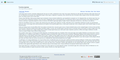 Example of the Lakeus Skin, with Ocean theme
 -
 Example of the Lakeus skin, with ArchWiki theme

