

Skin:Lakeus
 प्रकाशन की स्थिति: स्थिर |
|||
|---|---|---|---|
 |
|||
| लेखक | |||
| नवीनतम संस्करण | 1.2.0 (2024-04-26) | ||
| संगतता नीति | मीडियाविकि के साथ प्रकाशित स्नैपशॉट। Master में पीछे की तरफ से संगतता नहीं है। | ||
| मीडियाविकि | 1.36+ | ||
| लाइसेंस | GNU साधारण सार्वजनिक लाइसेंस 3.0 या उसके बाद | ||
| डाउनलोड करें | |||
| उदाहरण | |||
|
|||
| इस्तेमाल कर रहे सार्वजनिक विकियाँ | 3 (Ranked 215th) | ||
| डिफ़ॉल्ट स्किन के रूप में इस्तेमाल कर रहे सार्वजनिक विकियाँ | 0 | ||
| Lakeus स्किन को अनुवादित करें अगर यह translatewiki.net पर उपलब्ध है | |||
Lakeus एक स्किन है जो एक साधारण पर सुविधापूर्ण अनुभव प्रस्तुत करता है। इसका नाम लेखकों में से एक की कहानी के एक पात्र, Lakejason0 पर रखा गया है।
स्थापना
- फ़ाइलों को डाउनलोड करें और अपने
skins/फ़ोल्डर केLakeusनामक डिरेक्ट्री में डालें। - अपने LocalSettings.php फ़ाइल के अंत में यह कोड जोड़ें:
wfLoadSkin( 'Lakeus' );
 पूर्ण - अपने विकि पर Special:Version पर जाकर देखें कि स्किन को सफलतापूर्वक स्थापित किया गया है कि नहीं।

विशेषता
- साधारण पर सुविधापूर्ण (कम से कम ज़्यादातर काम करते हैं)।
- जावास्क्रिप्ट अक्षम करने पर काम करता है।
- CSS वेरिएबल से अनुकूलन।
- उत्तरदायी डिज़ाइन। डेस्कटॉप और टैब्लेट के साथ काम करना चाहिए; बहुत पतले फ़ोन पर साइडबार मेनू शायद ज़्यादा चौड़ा हो और इसे बंद न किया जा सके।
- स्टिकी विषयसूची। अस्थिर हो सकता है।
- एक थीम डिज़ाइनर। अपने वरीयताओं में इसे सक्षम करके आप लाइव थीम का पूर्वावलोकन देख सकते हैं। ज़्यादातर समय बस कुछ बुनियादी वेरिएबलों को बदल देने से यह कई प्रक्रियाओं से आपके लिए एक थीम बना देगा।
- इसमें कुछ बग्स हैं और यह अस्थिर है, तो मुझे वे समस्याएँ ज़रूर रिपोर्ट करें! अगर आप अंजाम से सहमत न हो तो स्वचालित थीम को रद्द कर सकते हैं।
टिप्पणियाँ
- स्किन का इस्तेमाल तब भी किया जा सकता है जब जावास्क्रिप्ट उपस्थित न हो। कुछ सुविधाएँ शायद उपलब्ध न हो।
- इस स्किन में LanguageConverter प्रकारों वाली भाषाओं के लिए एक समर्पित मेनू है (जैसे
zhऔर सर्बियाई)। अगर प्रकार उपलब्ध नहीं होते हैं, यह मेनू अदृश्य रहता है। - RTL समर्थन को ठीक से परीक्षणित नहीं किया गया है, पर मुख्य सुविधाओं पर RTL समर्थन को घोषित कर दिया गया है (जैसे साइडबार के मेनू)।
अनुकूलन
CSS वेरिएबल
true को $wgAllowSiteCSSOnRestrictedPages पर सेट करके इसे बाइपास कर सकते हैं।Lakeus CSS वेरिएबल द्वारा अनुकूलन के समर्थित करता है। नीचे थीम बनाने के कई तरीके हैं, और परिणाम (जिसे CSS कोड होना होगा) को लागू करने के लिए आपको Lakeus.css में इसकी प्रतिलिपि बनानी होगी, जो सभी विकि सदस्यों के लिए MediaWiki:Lakeus.css पर पाई जा सकती है और सिर्फ आपके लिए Special:MyPage/Lakeus.css पर।
थीम डिज़ाइनर
थीम डिज़ाइनर का उपयोग कोई भी कर सकता है (कम-से-कम मेरे खयाल से)। आपको बस बुनियादी वेरिएबल बदलने हैं और बाकी अपने आप आ जाएगा। अगर आपको अपने-आप बना अंजाम पसंद न आए तो आप सभी वेरिएबलों के लिए स्वचालित कैलक्यूलेशन बंद करके अपने पसंद के अनुसार खुद से भी बदल सकते हैं।
इसे सक्षम करने के लिए वरीयताओं में जाएँ, "स्वरूप" चुनें, और Lakeus स्किन चुनने पर आपको विकल्प मिल जाएगा। सक्षम हो जाने पर यह हर पृष्ठ पर लोड होगा।
बस सारे बटन और इंपुट अपने मतलब के काम ही करेंगे; अगर आप ठीक से समझे नहीं तो इसका उपयोग करके देखें। कुछ ऐसे वेरिएबल हैं जो सभी पृष्ठों पर नहीं दिखते, और वे नीचे सूचीबद्ध हैं:
- इंटरफेस सूचना बॉक्स। ये तत्व जावास्क्रिप्ट के अक्षम होते हुए सदस्य समूह के सेटिंग को लागू किए जाने, अनुवाद पृष्ठ पर सूचना या चेतावनी पाने, पृष्ठ संपादन के समय मीडियाविकि के छूटों, बिना Echo या किसी सूचना एक्सटेंशन को स्थापित किए सदस्य वार्ता पृष्ठ सूचनाओं, आदि स्थितियों में आते हैं।
प्रीसेट थीम्स
आपके उपयोग के लिए पहले से ही कुछ प्रीसेट थीम्स मौजूद होंगे। आप वार्ता पृष्ठ पर आपका अपना थीम भी बाँट सकते हैं। अगर कुछ नहीं है तो बाद में वापस आइए।
Vintage
एक विंटेज थीम जिसे पिछली बार 1.1.7 पर निर्यात किया गया था।
| Extended content |
|---|
:root {
    --color-primary: #8e860a;
    --color-secondary: #eeebe7;
    --color-neutral: #a2a9b1;
    --color-warning: #ffcc33;
    --color-error: #dd3333;
    --color-success: #14866d;
    --color-header: rgba(238,235,231,0);
    --color-link: #0645ad;
    --color-secondary--derived: #f8f9fa;
    --border-color-secoundary--derived: #a2a9b1;
    --font-family: 'Roboto', -apple-system, blinkmacsystemfont, 'Segoe UI', 'Oxygen', 'Ubuntu', 'Cantarell', 'Helvetica Neue', sans-serif;
    --font-family-serif: 'Linux Libertine', 'Times New Roman', 'Liberation Serif', 'Nimbus Roman', 'Noto Serif', 'Times', serif;
    --elevation: 0 2px 2px rgba( 0, 0, 0, 10% );
    --background-color-base: #eeebe7;
    --color-link--visited: #001f7d;
    --color-link--active: #5670e0;
    --color-link-new: #dd3333;
    --color-link-new--visited: #a4000c;
    --color-link-new--active: #ff6a5d;
    --color-link-external: #003da3;
    --color-link-external--visited: #001873;
    --color-link-external--active: #5267d5;
    --header-elevation: unset;
    --text-color-header: #000000;
    --icon-filter-header: unset;
    --background-color-search-suggestions: #eeebe7;
    --border-color-search-suggestions: #8c8985;
    --background-color-search-suggestions-current: #8e860a;
    --color-search-suggestions-text: #000000;
    --color-search-suggestions-text-current: #ffffff;
    --background-color-search-input: #eeebe7;
    --border-color-search-bar: #8c8985;
    --background-color-toggle-list: #ffffff;
    --background-color-toggle-list-card: #8e860a;
    --text-color-toggle-list-item: #000000;
    --background-color-toggle-list-item-hover: rgba(0,0,0,0.1);
    --text-color-toggle-list-item-hover: #000000;
    --background-color-toggle-list-item-focus: rgba(0,0,0,0.2);
    --text-color-toggle-list-item-focus: #000000;
    --border-color-toggle-list: #9b9b9b;
    --subheader-color-toggle-list: #6a6a6a;
    --logo-text-color-toggle-list: #ffffff;
    --mask-background: rgba(0,0,0,0.8);
    --background-color-content: #eeebe7;
    --text-color-content: #24220a;
    --background-color-body: #eeebe7;
    --text-color-body: #000000;
    --border-color-content: #bcb9b5;
    --color-accent-header-tab: #8e860a;
    --color-accent-header-tab-selected: #8e860a;
    --color-accent-header-tab-new: #8e860a;
    --border-color-header-tab: #eaecf0;
    --color-tagline: rgba(0,0,0,0.5);
    --font-family-headings: var(--font-family-serif);
    --background-color-edit-options: #eeeeee;
    --border-color-edit-options: #c8ccd1;
    --background-color-toc: #e4e1dd;
    --border-color-toc: #b2afab;
    --color-toc-number: #0d0d0d;
    --border-color-interface-message-box-neutral: #a2a9b1;
    --background-color-interface-message-box-neutral: #e5e7ea;
    --text-color-interface-message-box-neutral: #000000;
    --border-color-interface-message-box-warning: #ffcc33;
    --background-color-interface-message-box-warning: #ffe69a;
    --text-color-interface-message-box-warning: #000000;
    --border-color-interface-message-box-error: #dd3333;
    --background-color-interface-message-box-error: #fae2e2;
    --text-color-interface-message-box-error: #000000;
    --border-color-interface-message-box-success: #14866d;
    --background-color-interface-message-box-success: #d9ebe7;
    --text-color-interface-message-box-success: #000000;
    --border-color-user-message: #ffa500;
    --background-color-user-message: #ffe4b3;
    --text-color-user-message: #000000;
    --background-color-wikitable: #e9e6e2;
    --text-color-wikitable: #030303;
    --border-color-wikitable: #9e9c98;
    --background-color-wikitable-table-head: #dfdcd8;
    --background-color-portlet-body: #ffffff;
    --background-color-portlet-item-hover: rgba(0,0,0,0.1);
    --background-color-portlet-item-focus: rgba(44,44,44,0.1);
    --border-color-portlet-body: #ffffff;
    --background-color-footer: #dad7d3;
    --text-color-footer: #000000;
    --color-footer-link: #0645ad;
    --color-footer-link--visited: #001f7d;
    --color-footer-link--active: #5670e0;
}
|
Ocean
हल्के-नीले रंग स्कीम वाला एक थीम जिसे पिछली बार 1.1.15 पर निर्यात किया गया था।
| Extended content |
|---|
:root {
    --color-primary: #3366cc;
    --color-secondary: #f4fcff;
    --color-neutral: #a2a9b1;
    --color-warning: #ffcc33;
    --color-error: #dd3333;
    --color-success: #14866d;
    --color-header: #e2f4fe;
    --color-link: #0645ad;
    --color-secondary--derived: #f8f9fa;
    --border-color-secondary--derived: #a2a9b1;
    --font-family: 'Roboto', -apple-system, blinkmacsystemfont, 'Segoe UI', 'Oxygen', 'Ubuntu', 'Cantarell', 'Helvetica Neue', sans-serif;
    --font-family-serif: 'Linux Libertine', 'Times New Roman', 'Liberation Serif', 'Nimbus Roman', 'Noto Serif', 'Times', serif;
    --elevation: 0 2px 2px rgba( 0, 0, 0, 10% );
    --background-color-base: #f4fcff;
    --color-link--visited: #001f7d;
    --color-link--active: #5670e0;
    --color-link-new: #dd3333;
    --color-link-new--visited: #a4000c;
    --color-link-new--active: #ff6a5d;
    --color-link-external: #003da3;
    --color-link-external--visited: #001873;
    --color-link-external--active: #5267d5;
    --header-elevation: var(--elevation);
    --text-color-header: #000000;
    --icon-filter-header: unset;
    --background-color-search-suggestions: #f4fcff;
    --border-color-search-suggestions: #91989b;
    --background-color-search-suggestions-current: #3366cc;
    --color-search-suggestions-text: #000000;
    --color-search-suggestions-text-current: #ffffff;
    --background-color-search-input: #f4fcff;
    --border-color-search-bar: #91989b;
    --background-color-toggle-list: #f4fcff;
    --background-color-toggle-list-card: #3366cc;
    --text-color-toggle-list-item: #000000;
    --background-color-toggle-list-item-hover: rgba(51,102,204,0.1);
    --text-color-toggle-list-item-hover: #3366cc;
    --background-color-toggle-list-item-focus: rgba(35,93,194,0.2);
    --text-color-toggle-list-item-focus: #3366cc;
    --border-color-toggle-list: #91989b;
    --subheader-color-toggle-list: #0955b8;
    --logo-text-color-toggle-list: #ffffff;
    --mask-background: rgba(0,0,0,0.8);
    --background-color-content: #f4fcff;
    --text-color-content: #000000;
    --background-color-body: #f4fcff;
    --text-color-body: #000000;
    --border-color-content: #c1c9cc;
    --font-family-action-bar: var(--font-family);
    --color-accent-header-tab: #3366cc;
    --color-accent-header-tab-selected: #3366cc;
    --color-accent-header-tab-new: #3366cc;
    --border-color-header-tab: #eaecf0;
    --color-tagline: rgba(0,0,0,0.7);
    --font-family-headings: var(--font-family-serif);
    --background-color-edit-options: #eeeeee;
    --border-color-edit-options: #c8ccd1;
    --background-color-toc: #eaf2f5;
    --border-color-toc: #b7bfc2;
    --color-toc-number: #0d0d0d;
    --border-color-interface-message-box-neutral: #a2a9b1;
    --background-color-interface-message-box-neutral: #e5e7ea;
    --text-color-interface-message-box-neutral: #000000;
    --border-color-interface-message-box-warning: #ffcc33;
    --background-color-interface-message-box-warning: #ffe69a;
    --text-color-interface-message-box-warning: #000000;
    --border-color-interface-message-box-error: #dd3333;
    --background-color-interface-message-box-error: #fae2e2;
    --text-color-interface-message-box-error: #000000;
    --border-color-interface-message-box-success: #14866d;
    --background-color-interface-message-box-success: #d9ebe7;
    --text-color-interface-message-box-success: #000000;
    --border-color-user-message: #ffa500;
    --background-color-user-message: #ffe4b3;
    --text-color-user-message: #000000;
    --background-color-wikitable: #eff7fa;
    --text-color-wikitable: #030303;
    --border-color-wikitable: #a4abae;
    --background-color-wikitable-table-head: #e5ecef;
    --background-color-portlet-body: #ffffff;
    --text-color-portlet-item: #3366cc;
    --background-color-portlet-item-hover: rgba(51,102,204,0.1);
    --text-color-portlet-item-hover: #3366cc;
    --background-color-portlet-item-focus: rgba(112,147,255,0.1);
    --text-color-portlet-item-focus: #3366cc;
    --border-color-portlet-body: #ffffff;
    --background-color-footer: #dfe7ea;
    --text-color-footer: #000000;
    --color-footer-link: #0645ad;
    --color-footer-link--visited: #001f7d;
    --color-footer-link--active: #5670e0;
    --background-color-toc-button: #f4fcff;
    --icon-filter-toc-button: unset;
    --text-color-sticky-toc-number: rgba(51,102,204,0.7);
}
|
ArchWiki
एक थीम जो ArchWiki की नकल करता है, आखिरी बार 1.1.15.r32.g4282f3c पर निर्यात किया गया।
| Extended content |
|---|
:root {
    --color-primary: #0077bb;
    --color-secondary: #ffffff;
    --color-neutral: #a2a9b1;
    --color-warning: #ffcc33;
    --color-error: #dd3333;
    --color-success: #14866d;
    --color-header: #333333;
    --color-link: #0077bb;
    --elevation: 0 2px 2px rgba( 0, 0, 0, 10% );
    --background-color-base: #f6f9fc;
    --color-link--visited: #004c8a;
    --color-link--active: #57a6ee;
    --color-link-new: #bb4400;
    --color-link-new--visited: #840f00;
    --color-link-new--active: #f47334;
    --color-link-external: #006eb1;
    --color-link-external--visited: #004481;
    --color-link-external--active: #559ce3;
    --header-elevation: inset 0px -5px 0px 0px #08c;
    --text-color-header: #ffffff;
    --icon-filter-header: invert(1) hue-rotate(180deg);
    --background-color-search-suggestions-current: #0077bb;
    --background-color-toggle-list: #ffffff;
    --background-color-toggle-list-card: #0077bb;
    --text-color-toggle-list-item: #000000;
    --background-color-toggle-list-item-hover: rgba(0,119,187,0.1);
    --text-color-toggle-list-item-hover: #0077bb;
    --background-color-toggle-list-item-focus: rgba(0,110,177,0.2);
    --text-color-toggle-list-item-focus: #0077bb;
    --subheader-color-toggle-list: #0065a7;
    --logo-text-color-toggle-list: #ffffff;
    --mask-background: rgba(0,0,0,0.8);
    --background-color-content: #ffffff;
    --text-color-content: #000000;
    --background-color-body: #f6f9fc;
    --text-color-body: #000000;
    --color-accent-header-tab: #0077bb;
    --color-accent-header-tab-selected: #0077bb;
    --color-accent-header-tab-new: #0077bb;
    --color-tagline: rgba(0,0,0,0.7);
    --background-color-portlet-body: #ffffff;
    --text-color-portlet-item: #000000;
    --background-color-portlet-item-hover: rgba(0,119,187,0.1);
    --text-color-portlet-item-hover: #0077bb;
    --background-color-portlet-item-focus: rgba(87,166,238,0.1);
    --text-color-portlet-item-focus: #0077bb;
    --background-color-footer: #f6f9fc;
    --text-color-footer: #000000;
    --color-footer-link: #0077bb;
    --color-footer-link--visited: #004c8a;
    --background-color-toc-button: #ffffff;
    --icon-filter-toc-button: unset;
    --text-color-sticky-toc-number: rgba(0,0,0,0.7);
}


#content {
    border: 1px solid var(--border-color-content);
}

@media screen and ( max-width: 720px ) {
    #content {
    	border-left: none; // no left and right border when #content is as wide as viewport; adjust the value if not appropriate
    	border-right: none;
    }
}

#ca-uls .uls-trigger {
    background-image: none;
    padding-left: 0;
}
|
वेरिएबल खुद बदलें
नीचे CSS वेरिएबलों का डिफ़ॉल्च सेटिंग है; इन्हें बदलकर अपने Lakeus.css में डाल दें:
| Extended content |
|---|
:root {
  --color-primary: #3366cc;
  --color-secondary: #ffffff;
  --color-neutral: #a2a9b1;
  --color-error: #d33;
  --color-warning: #fc3;
  --color-success: #14866d;
  --background-color-base: var(--color-secondary);
  --background-color-body: var(--color-secondary);
  --background-color-content: var(--color-secondary);
  --background-color-footer: #eee;
  --background-color-toggle-list: var(--color-secondary);
  --background-color-portlet-body: var(--color-secondary);
  --background-color-toggle-list-card: #eee;
  --background-color-toggle-list-item-hover: rgba(0, 0, 0, 0.1);
  --background-color-toggle-list-item-focus: rgba(0, 0, 0, 0.2);
  --background-color-portlet-item-hover: rgba(0, 0, 0, 0.1);
  --background-color-portlet-item-focus: rgba(0, 0, 0, 0.2);
  --background-color-edit-options: #eee;
  --background-color-search-suggestions: var(--color-secondary);
  --background-color-search-suggestions-current: var(--color-primary);
  --background-color-search-input: var(--color-secondary);
  --background-color-toc: #f8f9fa;
  --background-color-interface-message-box-neutral: #eaecf0;
  --background-color-interface-message-box-error: #fee7e6;
  --background-color-interface-message-box-warning: #fef6e7;
  --background-color-interface-message-box-success: #d5fdf4;
  --background-color-user-message: #ffce7b;
  --background-color-wikitable: #f8f9fa;
  --background-color-wikitable-table-head: #eaecf0;
  --background-color-toc-button: #fff;
  --border-color-edit-options: #c8ccd1;
  --border-color-content: #ccc;
  --border-color-toggle-list: #ddd;
  --border-color-search-suggestions: #c8ccd1;
  --border-color-search-bar: var(--color-gray-2);
  --border-color-portlet-body: var(--color-gray);
  --border-color-header-tab: var(--color-gray-2);
  --border-color-toc: #a2a9b1;
  --border-color-interface-message-box-neutral: var(--color-neutral);
  --border-color-interface-message-box-error: var(--color-error);
  --border-color-interface-message-box-warning: var(--color-warning);
  --border-color-interface-message-box-success: var(--color-success);
  --border-color-user-message: #ffa500;
  --border-color-wikitable: #a2a9b1;
  --subheader-color-toggle-list: #6a6a6a;
  --logo-text-color-toggle-list: #000000;
  --text-color-toggle-list-item: #1c1c1c;
  --text-color-toggle-list-item-hover: #3a3a3a;
  --text-color-toggle-list-item-focus: #3a3a3a;
  --text-color-portlet-item: #1c1c1c;
  --text-color-portlet-item-hover: #3a3a3a;
  --text-color-portlet-item-focus: #3a3a3a;
  --text-color-content: #000000;
  --text-color-header: #000000;
  --text-color-body: #000000;
  --text-color-footer: #000000;
  --text-color-interface-message-box-neutral: #000000;
  --text-color-interface-message-box-error: #000000;
  --text-color-interface-message-box-warning: #000000;
  --text-color-interface-message-box-success: #000000;
  --text-color-user-message: #000000;
  --text-color-wikitable: #202122;
  --text-color-sticky-toc-number: #888;
  --icon-filter-header: unset;
  --icon-filter-ooui-icon: unset;
  --icon-filter-toc-button: unset;
  --color-search-suggestions-text: #000;
  --color-search-suggestions-text-current: #fff;
  --color-tagline: var(--color-base);
  --color-accent-header-tab: var(--color-base);
  --color-accent-header-tab-selected: #54595d;
  --color-accent-header-tab-new: #54595d;
  --color-header: white;
  --color-base: #54595d;
  --color-gray: #a2a9b1;
  --color-gray-2: #eaecf0;
  --color-link: #0645ad;
  --color-link--visited: #0b0080;
  --color-link--active: #faa700;
  --color-link-new: #d33;
  --color-link-new--visited: #a55858;
  --color-link-new--active: #faa700;
  --color-link-external: #36b;
  --color-link-external--visited: #636;
  --color-link-external--active: #b63;
  --color-footer-link: var(--color-link);
  --color-footer-link--visited: var(--color-link--visited);
  --color-footer-link--active: var(--color-link--active);
  --color-toc-number: #202122;
  --font-family: 'Roboto', -apple-system, blinkmacsystemfont, 'Segoe UI', 'Oxygen', 'Ubuntu', 'Cantarell', 'Helvetica Neue', sans-serif;
  --font-family-serif: 'Linux Libertine', 'Times New Roman', 'Liberation Serif', 'Nimbus Roman', 'Noto Serif', 'Times', serif;
  --font-family-headings: var(--font-family-serif);
  --font-family-action-bar: var(--font-family);
  --elevation: 0 2px 2px rgba( 0, 0, 0, 10% );
  --header-elevation: var(--elevation);
  --mask-background: rgba( 0, 0, 0, 0.8 );
}
|
उदाहरणस्वरूप, शीर्षक के रंग को हल्के नीले (जैसे #4FC3F7) में बदलने के लिए कोड होगा:
:root {
  --color-header: #4FC3F7;
}
पैरामीटर्स
| पैरामीटर | प्रकार | डिफ़ॉल्ट | विवरण |
|---|---|---|---|
$wgLakeusShowRepositoryLink
|
बूलियन | true
|
यह तय करता है कि लिंक को फुटर के स्किन रिपॉज़िटरी में दिखाया जाएगा कि नहीं। |
$wgLogos
|
अभी के लिए सिर्फ icon और wordmark ही मान्य हैं; स्किन svg, 1x, 1.5x या 2x जैसे कुंजियों का उपयोग नहीं करती। ध्यान रखें कि दूसरी त्वचाएँ icon और दूसरे कुंजियों द्वारा प्रदान किए गए चित्रों का भी उपयोग कर सकते हैं, तो सिर्फ इसी स्किन के लिए आइकॉन देने के लिए कुंजी पर निर्भर न रहें।
| ||
$wgLakeusSiteNoticeHasBorder
|
बूलियन | false
|
यह तय करता है कि स्किन साइट सूचना पर बॉर्डर जोड़ेगा कि नहीं। इसे सक्षम करने से सामान्य पाठ की सूचनाओं को फ़ायदा हो सकता है, लेकिन अगर आपने सूचना पर पहले से ही बॉर्डर जोड़ा हुआ है, आप इसे अक्षम रख सकते हैं। |
$wgLakeusShouldAnimatePortlets
|
बूलियन | false
|
यह तय करता है कि पोर्टलेट्स एनीमेशन (जैसे पोर्टलेट्स खोलते या बंद करते समय फ़ेड-इन और आउट इफ़ेक्ट्स) को सक्षम करना है कि नहीं। x-index में समस्याओं के कारण दृश्य समस्याएँ आ सकती हैं। |
$wgLakeusShowStickyTOC
|
बूलियन | false
|
यह तय करता है कि स्टिकी विषयसूची दिखाना है कि नहीं। |
$wgLakeusCustomIndicators
|
Array | []
|
Experimental. Adds custom skin-wide indicators. This is PROBABLY NOT how you should add page status indicators and therefore experimental. This array consists of data of indicators, and each entry should consist of 3 properties: id, class, html. It is suggested to follow the format of proper indicators added in wikitext, which means:
|
साइडबार के आईकॉन्स
बदकिस्मती से, पृष्ठ पर कई चित्र जोड़े बिना स्किन पर आईकॉन्स जोड़ना मुमकिन नहीं।
अगर आप वेब-फ़ॉण्ट आईकॉन्स के लोड होने के समय को सह सकते हैं, आप निम्न विधि का पालन कर सकते हैं।
सबसे पहले आईकॉन का फ़ॉण्ट-फ़ेस (इस उदाहरण में Material Icons) अपने CSS (Lakeus.css) में जोड़ें।
आपने शायद Lakeus.css के अलावा किसी दूसरी जगह से फ़ॉण्ट-फ़ेस लोड किए हों, और अगर ऐसा तो बस सुनिश्चित करें कि ये एक-दूसरे से टकराते नहीं हैं।
/* MD Icons */
/* fallback */
@font-face {
  font-family: 'Material Icons';
  font-style: normal;
  font-weight: 400;
  src: url(https://fonts.gstatic.com/s/materialicons/v70/flUhRq6tzZclQEJ-Vdg-IuiaDsNc.woff2) format('woff2');
}
फिर, क्योंकि हम छद्म-तत्वों का इस्तेमाल करेंगे, आईकॉन्स के लिए कुछ पैडिंग और अतिरिक्त सेटिंग्स जोड़ी जाती हैं:
.toggle-list__list a {
    padding-left: calc(8px + 25px);
}

.toggle-list__list a::before {
    content: '';
    width: 0;
    height: 0;
    display: inline-block;
    font-family: 'Material Icons';
    font-size: 18px;
    transform: translateX(-25px) translateY(3px);
    /* Display Optimizing */
    -webkit-font-smoothing: antialiased;
    text-rendering: optimizeLegibility;
    -moz-osx-font-smoothing: grayscale;
    font-feature-settings: 'liga';
}
अब बात आती है आईकॉन्स को जोड़ने की। आप Devtools (दायाँ क्लिक और फिर Inspect Element से खुलने वाले उपकरण) की मदद से सूची के आयटम्स के ID देख सकते हैं, और अब हम इन छद्म-तत्वों (आईकॉन्स) की सामग्री को सेट करेंगे।
/* Navigation */
#n-mainpage-description a::before {
    content: 'home';
}

#n-recentchanges a::before {
    content: 'auto_awesome';
}

#n-randompage a::before {
    content: 'shuffle';
}

#n-portal a::before {
    content: 'forum';
}

#n-help-mediawiki a::before {
    content: 'help_center';
}
इस उदाहरण में Material Icons पर किसी विशिष्ट आईकॉन के लिए विशिष्ट स्ट्रिंग्स (यहाँ पर प्रयुक्त) और कोड पॉइंट्स का समर्थन है। Material Icons पर किन स्ट्रिंग्स या कोड पॉइंट्स का इस्तेमाल किया जाना चाहिए, इसके लिए Icons - Google Fonts देखें। अपनी साइट के लिए खुलकर नए नियम जोड़ें, जैसे लेखकों में से एक के साइट पर एक प्रबंधक नोटिसबोर्ड जोड़ दी गई है:
#n-adminnoticeboard a::before {
    content: 'groups';
}
#n-... भाग को उस सिस्टम संदेश से मेल खाना होगा जो आपने अपने MediaWiki:Sidebar में जोड़ी थी।
व्यक्तिगत मेन्यू के आईकॉन्स
व्यक्तिगत मेन्यू वैसे का वैसा ही है।
| Extended content |
|---|
/* Personal Menu */
#p-personal a {
    padding-left: calc(0.75em + 25px);
}

#p-personal a::before {
    content: '';
    width: 0;
    height: 0;
    display: inline-block;
    font-family: 'Material Icons';
    font-size: 18px;
    transform: translateX(-25px) translateY(3px);
    -webkit-font-smoothing: antialiased;
    text-rendering: optimizeLegibility;
    -moz-osx-font-smoothing: grayscale;
    font-feature-settings: 'liga';
}

#pt-userpage a::before {
    content: 'person';
}

#pt-mytalk a::before {
    content: 'chat_bubble';
}

#pt-adminlinks a::before {
    content: 'admin_panel_settings';
}

#pt-preferences a::before {
    content: 'settings';
}

#pt-betafeatures a::before {
    content: 'science';
}

#pt-watchlist a::before {
    content: 'star';
}

#pt-mycontris a::before {
    content: 'emoji_events';
}

#pt-logout a::before {
    content: 'logout';
}

#pt-login a::before {
    content: 'login';
}

#pt-createaccount a::before {
    content: 'person_add';
}
|
गैलरी
-
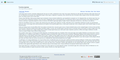 Ocean थीम के साथ Lakeus स्किन का उदाहरण
 -
 Example of the Lakeus skin, with ArchWiki theme

