

Skin:Lakeus
 Freigabestatus: stabil |
|||
|---|---|---|---|
 |
|||
| Autor(en) | |||
| Neuste Version | 1.2.0 (2024-04-26) | ||
| Compatibility policy | Snapshots releases along with MediaWiki. Master is not backwards compatible. | ||
| MediaWiki | 1.36+ | ||
| Lizenz | GNU General Public License 3.0 oder neuer | ||
| Herunterladen | |||
| Beispiel | |||
|
|||
| Public wikis using | 3 (Ranked 215th) | ||
| Public wikis using as default skin | 0 | ||
| Übersetze den Lakeus skin wenn es auf translatewiki.net verfügbar ist | |||
Lakeus ist ein Skin, welches sich vornimmt, eine schlichte, aber voll funktionsfähige Erfahrung zu bieten. Es wird nach einen Charakter im Roman eines der Autoren namens Lakejason0 benannt.
Installation
- Die Herunterladen herunterladen und in einem Unterverzeichnis namens
Lakeuszum Verzeichnisskins/ablegen. - Ergänze folgenden Code am Ende deiner LocalSettings.php-Datei:
wfLoadSkin( 'Lakeus' );
 Erledigt - Navigiere zu Special:Version in deinem Wiki, um zu überprüfen, ob der Skin erfolgreich installiert ist.

Funktionen
- Einfach, aber voll funktionsfähig (zumindest die meisten sollten funktionieren).
- Funktioniert, wenn JavaScript deaktiviert ist.
- Anpassung durch CSS-Variablen.
- Sich anpassendes Design. Sollte mit Desktop und Tablet funktionieren; Auf sehr schmalen Telefonen ist das Seitenleistenmenü möglicherweise zu breit, um es zu schließen.
- Sticky TOC. Kann instabil sein.
- Einen Schemendesigner. Indem du es in deinen Einstellungen aktivierst, kannst du das Design in Echtzeit ändern und in der Vorschau anzeigen. For the most of time, only a few tweaks on basic variables are needed and it will produce an automagically calculated theme for you.
- It might be a bit buggy and unstable, so be sure to report any of the problems to me! Du kannst die automatische Berechnung jederzeit deaktivieren, wenn du nicht zufrieden bist.
Anmerkungen
- Der Skin sollte verwendbar sein, auch wenn kein JavaScript vorhanden ist. Verschiedene nutzvolle Funktionen könnten jedoch nicht verfügbar sein.
- Der Skin hat ein spezielles Menü für die Seite erstellt, die eine Sprache mit LanguageConverter-Varianten verwendet (z. B. Chinesisch (
zh) und Serbisch). Wenn keine Varianten verfügbar sind, sollte das Menü unsichtbar sein. - RTL support hasn't been tested well, but main features are confirmed RTL compatible (e.g. sidebar menus).
Anpassung
CSS-Variablen
true to bypass it after understanding the risks.Lakeus unterstützt die Personalisierung durch CSS-Variablen. Below are several methods to generate a theme, and to apply the result (should be CSS code) you'll need to copy it to Lakeus.css, which can be found on MediaWiki:Lakeus.css for all wiki users, and Special:MyPage/Lakeus.css for yourself.
Schemendesigner
Using the theme designer would be easier for anyone (at least I hope so). You'll only need to change the basic variables and the rest will be automatically calculated. You can disable the auto calculation for each variable that you don't really like the auto calculated result of it, and manually tweak it as you like.
To enable it, go to the preferences, select "Appearance", and you can find the option when the skin Lakeus is selected. Once enabled, it would load on every page.
Basically all the buttons and form inputs do what it literally means; just try them out if you are a bit confused. There are some variables that do not appear on every page, and they would be listed below:
- Interface message box. These elements appears in situations like that a user group setting is successfully applied when JavaScript disabled, translation page edit notice warning, MediaWiki exceptions that appears on page editing, user talk page notices with no Echo and other notification extensions installed, and so on.
Voreinstellungsschemen
There will be some preset theme that is already here for you to use. You can share your own theme on the talk page as well. Come back later if there isn't any.
Vintage
Ein Uralt-Schema, zuletzt in 1.1.7 exportiert.
| Erweiterter Inhalt |
|---|
:root {
    --color-primary: #8e860a;
    --color-secondary: #eeebe7;
    --color-neutral: #a2a9b1;
    --color-warning: #ffcc33;
    --color-error: #dd3333;
    --color-success: #14866d;
    --color-header: rgba(238,235,231,0);
    --color-link: #0645ad;
    --color-secondary--derived: #f8f9fa;
    --border-color-secoundary--derived: #a2a9b1;
    --font-family: 'Roboto', -apple-system, blinkmacsystemfont, 'Segoe UI', 'Oxygen', 'Ubuntu', 'Cantarell', 'Helvetica Neue', sans-serif;
    --font-family-serif: 'Linux Libertine', 'Times New Roman', 'Liberation Serif', 'Nimbus Roman', 'Noto Serif', 'Times', serif;
    --elevation: 0 2px 2px rgba( 0, 0, 0, 10% );
    --background-color-base: #eeebe7;
    --color-link--visited: #001f7d;
    --color-link--active: #5670e0;
    --color-link-new: #dd3333;
    --color-link-new--visited: #a4000c;
    --color-link-new--active: #ff6a5d;
    --color-link-external: #003da3;
    --color-link-external--visited: #001873;
    --color-link-external--active: #5267d5;
    --header-elevation: unset;
    --text-color-header: #000000;
    --icon-filter-header: unset;
    --background-color-search-suggestions: #eeebe7;
    --border-color-search-suggestions: #8c8985;
    --background-color-search-suggestions-current: #8e860a;
    --color-search-suggestions-text: #000000;
    --color-search-suggestions-text-current: #ffffff;
    --background-color-search-input: #eeebe7;
    --border-color-search-bar: #8c8985;
    --background-color-toggle-list: #ffffff;
    --background-color-toggle-list-card: #8e860a;
    --text-color-toggle-list-item: #000000;
    --background-color-toggle-list-item-hover: rgba(0,0,0,0.1);
    --text-color-toggle-list-item-hover: #000000;
    --background-color-toggle-list-item-focus: rgba(0,0,0,0.2);
    --text-color-toggle-list-item-focus: #000000;
    --border-color-toggle-list: #9b9b9b;
    --subheader-color-toggle-list: #6a6a6a;
    --logo-text-color-toggle-list: #ffffff;
    --mask-background: rgba(0,0,0,0.8);
    --background-color-content: #eeebe7;
    --text-color-content: #24220a;
    --background-color-body: #eeebe7;
    --text-color-body: #000000;
    --border-color-content: #bcb9b5;
    --color-accent-header-tab: #8e860a;
    --color-accent-header-tab-selected: #8e860a;
    --color-accent-header-tab-new: #8e860a;
    --border-color-header-tab: #eaecf0;
    --color-tagline: rgba(0,0,0,0.5);
    --font-family-headings: var(--font-family-serif);
    --background-color-edit-options: #eeeeee;
    --border-color-edit-options: #c8ccd1;
    --background-color-toc: #e4e1dd;
    --border-color-toc: #b2afab;
    --color-toc-number: #0d0d0d;
    --border-color-interface-message-box-neutral: #a2a9b1;
    --background-color-interface-message-box-neutral: #e5e7ea;
    --text-color-interface-message-box-neutral: #000000;
    --border-color-interface-message-box-warning: #ffcc33;
    --background-color-interface-message-box-warning: #ffe69a;
    --text-color-interface-message-box-warning: #000000;
    --border-color-interface-message-box-error: #dd3333;
    --background-color-interface-message-box-error: #fae2e2;
    --text-color-interface-message-box-error: #000000;
    --border-color-interface-message-box-success: #14866d;
    --background-color-interface-message-box-success: #d9ebe7;
    --text-color-interface-message-box-success: #000000;
    --border-color-user-message: #ffa500;
    --background-color-user-message: #ffe4b3;
    --text-color-user-message: #000000;
    --background-color-wikitable: #e9e6e2;
    --text-color-wikitable: #030303;
    --border-color-wikitable: #9e9c98;
    --background-color-wikitable-table-head: #dfdcd8;
    --background-color-portlet-body: #ffffff;
    --background-color-portlet-item-hover: rgba(0,0,0,0.1);
    --background-color-portlet-item-focus: rgba(44,44,44,0.1);
    --border-color-portlet-body: #ffffff;
    --background-color-footer: #dad7d3;
    --text-color-footer: #000000;
    --color-footer-link: #0645ad;
    --color-footer-link--visited: #001f7d;
    --color-footer-link--active: #5670e0;
}
|
Ocean
Ein Schema mit hellblauen Farbschema, zuletzt in 1.1.8 exportiert.
| Erweiterter Inhalt |
|---|
:root {
    --color-primary: #3366cc;
    --color-secondary: #f4fcff;
    --color-neutral: #a2a9b1;
    --color-warning: #ffcc33;
    --color-error: #dd3333;
    --color-success: #14866d;
    --color-header: #e2f4fe;
    --color-link: #0645ad;
    --color-secondary--derived: #f8f9fa;
    --border-color-secondary--derived: #a2a9b1;
    --font-family: 'Roboto', -apple-system, blinkmacsystemfont, 'Segoe UI', 'Oxygen', 'Ubuntu', 'Cantarell', 'Helvetica Neue', sans-serif;
    --font-family-serif: 'Linux Libertine', 'Times New Roman', 'Liberation Serif', 'Nimbus Roman', 'Noto Serif', 'Times', serif;
    --elevation: 0 2px 2px rgba( 0, 0, 0, 10% );
    --background-color-base: #f4fcff;
    --color-link--visited: #001f7d;
    --color-link--active: #5670e0;
    --color-link-new: #dd3333;
    --color-link-new--visited: #a4000c;
    --color-link-new--active: #ff6a5d;
    --color-link-external: #003da3;
    --color-link-external--visited: #001873;
    --color-link-external--active: #5267d5;
    --header-elevation: var(--elevation);
    --text-color-header: #000000;
    --icon-filter-header: unset;
    --background-color-search-suggestions: #f4fcff;
    --border-color-search-suggestions: #91989b;
    --background-color-search-suggestions-current: #3366cc;
    --color-search-suggestions-text: #000000;
    --color-search-suggestions-text-current: #ffffff;
    --background-color-search-input: #f4fcff;
    --border-color-search-bar: #91989b;
    --background-color-toggle-list: #f4fcff;
    --background-color-toggle-list-card: #3366cc;
    --text-color-toggle-list-item: #000000;
    --background-color-toggle-list-item-hover: rgba(51,102,204,0.1);
    --text-color-toggle-list-item-hover: #3366cc;
    --background-color-toggle-list-item-focus: rgba(35,93,194,0.2);
    --text-color-toggle-list-item-focus: #3366cc;
    --border-color-toggle-list: #91989b;
    --subheader-color-toggle-list: #0955b8;
    --logo-text-color-toggle-list: #ffffff;
    --mask-background: rgba(0,0,0,0.8);
    --background-color-content: #f4fcff;
    --text-color-content: #000000;
    --background-color-body: #f4fcff;
    --text-color-body: #000000;
    --border-color-content: #c1c9cc;
    --font-family-action-bar: var(--font-family);
    --color-accent-header-tab: #3366cc;
    --color-accent-header-tab-selected: #3366cc;
    --color-accent-header-tab-new: #3366cc;
    --border-color-header-tab: #eaecf0;
    --color-tagline: rgba(0,0,0,0.7);
    --font-family-headings: var(--font-family-serif);
    --background-color-edit-options: #eeeeee;
    --border-color-edit-options: #c8ccd1;
    --background-color-toc: #eaf2f5;
    --border-color-toc: #b7bfc2;
    --color-toc-number: #0d0d0d;
    --border-color-interface-message-box-neutral: #a2a9b1;
    --background-color-interface-message-box-neutral: #e5e7ea;
    --text-color-interface-message-box-neutral: #000000;
    --border-color-interface-message-box-warning: #ffcc33;
    --background-color-interface-message-box-warning: #ffe69a;
    --text-color-interface-message-box-warning: #000000;
    --border-color-interface-message-box-error: #dd3333;
    --background-color-interface-message-box-error: #fae2e2;
    --text-color-interface-message-box-error: #000000;
    --border-color-interface-message-box-success: #14866d;
    --background-color-interface-message-box-success: #d9ebe7;
    --text-color-interface-message-box-success: #000000;
    --border-color-user-message: #ffa500;
    --background-color-user-message: #ffe4b3;
    --text-color-user-message: #000000;
    --background-color-wikitable: #eff7fa;
    --text-color-wikitable: #030303;
    --border-color-wikitable: #a4abae;
    --background-color-wikitable-table-head: #e5ecef;
    --background-color-portlet-body: #ffffff;
    --text-color-portlet-item: #3366cc;
    --background-color-portlet-item-hover: rgba(51,102,204,0.1);
    --text-color-portlet-item-hover: #3366cc;
    --background-color-portlet-item-focus: rgba(112,147,255,0.1);
    --text-color-portlet-item-focus: #3366cc;
    --border-color-portlet-body: #ffffff;
    --background-color-footer: #dfe7ea;
    --text-color-footer: #000000;
    --color-footer-link: #0645ad;
    --color-footer-link--visited: #001f7d;
    --color-footer-link--active: #5670e0;
    --background-color-toc-button: #f4fcff;
    --icon-filter-toc-button: unset;
    --text-color-sticky-toc-number: rgba(51,102,204,0.7);
}
|
ArchWiki
A theme that imitates ArchWiki, last exported on version 1.1.18.r11.gdf47be3.
| Erweiterter Inhalt |
|---|
:root {
    --color-primary: #0077bb;
    --color-secondary: #ffffff;
    --color-neutral: #a2a9b1;
    --color-warning: #ffcc33;
    --color-error: #dd3333;
    --color-success: #14866d;
    --color-header: #333333;
    --color-link: #0077bb;
    --elevation: 0 2px 2px rgba( 0, 0, 0, 10% );
    --background-color-base: #f6f9fc;
    --color-link--visited: #004c8a;
    --color-link--active: #57a6ee;
    --color-link-new: #bb4400;
    --color-link-new--visited: #840f00;
    --color-link-new--active: #f47334;
    --color-link-external: #006eb1;
    --color-link-external--visited: #004481;
    --color-link-external--active: #559ce3;
    --header-elevation: inset 0px -5px 0px 0px #08c;
    --text-color-header: #ffffff;
    --icon-filter-header: invert(1) hue-rotate(180deg);
    --background-color-search-suggestions-current: #0077bb;
    --background-color-toggle-list: #ffffff;
    --background-color-toggle-list-card: #0077bb;
    --text-color-toggle-list-item: #000000;
    --background-color-toggle-list-item-hover: rgba(0,119,187,0.1);
    --text-color-toggle-list-item-hover: #0077bb;
    --background-color-toggle-list-item-focus: rgba(0,110,177,0.2);
    --text-color-toggle-list-item-focus: #0077bb;
    --subheader-color-toggle-list: #0065a7;
    --logo-text-color-toggle-list: #ffffff;
    --mask-background: rgba(0,0,0,0.8);
    --background-color-content: #ffffff;
    --text-color-content: #000000;
    --background-color-body: #f6f9fc;
    --text-color-body: #000000;
    --color-accent-header-tab: #0077bb;
    --color-accent-header-tab-selected: #0077bb;
    --color-accent-header-tab-new: #0077bb;
    --color-tagline: rgba(0,0,0,0.7);
    --background-color-portlet-body: #ffffff;
    --text-color-portlet-item: #000000;
    --background-color-portlet-item-hover: rgba(0,119,187,0.1);
    --text-color-portlet-item-hover: #0077bb;
    --background-color-portlet-item-focus: rgba(87,166,238,0.1);
    --text-color-portlet-item-focus: #0077bb;
    --background-color-footer: #f6f9fc;
    --text-color-footer: #000000;
    --color-footer-link: #0077bb;
    --color-footer-link--visited: #004c8a;
    --background-color-toc-button: #ffffff;
    --icon-filter-toc-button: unset;
    --text-color-sticky-toc-number: rgba(0,0,0,0.7);
}


#content {
    border: 1px solid var(--border-color-content);
}

@media screen and ( max-width: 720px ) {
    #content {
    	border-left: none; // no left and right border when #content is as wide as viewport; adjust the value if not appropriate
    	border-right: none;
    }
}

#ca-uls .uls-trigger {
    background-image: none;
    padding-left: 0;
}
|
Manuell die Variablen ändern
Below is the default setting of CSS variables; modify these settings and put the result into your Lakeus.css:
| Erweiterter Inhalt |
|---|
:root {
  --color-primary: #3366cc;
  --color-secondary: #ffffff;
  --color-neutral: #a2a9b1;
  --color-error: #d33;
  --color-warning: #fc3;
  --color-success: #14866d;
  --background-color-base: var(--color-secondary);
  --background-color-body: var(--color-secondary);
  --background-color-content: var(--color-secondary);
  --background-color-footer: #eee;
  --background-color-toggle-list: var(--color-secondary);
  --background-color-portlet-body: var(--color-secondary);
  --background-color-toggle-list-card: #eee;
  --background-color-toggle-list-item-hover: rgba(0, 0, 0, 0.1);
  --background-color-toggle-list-item-focus: rgba(0, 0, 0, 0.2);
  --background-color-portlet-item-hover: rgba(0, 0, 0, 0.1);
  --background-color-portlet-item-focus: rgba(0, 0, 0, 0.2);
  --background-color-edit-options: #eee;
  --background-color-search-suggestions: var(--color-secondary);
  --background-color-search-suggestions-current: var(--color-primary);
  --background-color-search-input: var(--color-secondary);
  --background-color-toc: #f8f9fa;
  --background-color-interface-message-box-neutral: #eaecf0;
  --background-color-interface-message-box-error: #fee7e6;
  --background-color-interface-message-box-warning: #fef6e7;
  --background-color-interface-message-box-success: #d5fdf4;
  --background-color-user-message: #ffce7b;
  --background-color-wikitable: #f8f9fa;
  --background-color-wikitable-table-head: #eaecf0;
  --background-color-toc-button: #fff;
  --border-color-edit-options: #c8ccd1;
  --border-color-content: #ccc;
  --border-color-toggle-list: #ddd;
  --border-color-search-suggestions: #c8ccd1;
  --border-color-search-bar: var(--color-gray-2);
  --border-color-portlet-body: var(--color-gray);
  --border-color-header-tab: var(--color-gray-2);
  --border-color-toc: #a2a9b1;
  --border-color-interface-message-box-neutral: var(--color-neutral);
  --border-color-interface-message-box-error: var(--color-error);
  --border-color-interface-message-box-warning: var(--color-warning);
  --border-color-interface-message-box-success: var(--color-success);
  --border-color-user-message: #ffa500;
  --border-color-wikitable: #a2a9b1;
  --subheader-color-toggle-list: #6a6a6a;
  --logo-text-color-toggle-list: #000000;
  --text-color-toggle-list-item: #1c1c1c;
  --text-color-toggle-list-item-hover: #3a3a3a;
  --text-color-toggle-list-item-focus: #3a3a3a;
  --text-color-portlet-item: #1c1c1c;
  --text-color-portlet-item-hover: #3a3a3a;
  --text-color-portlet-item-focus: #3a3a3a;
  --text-color-content: #000000;
  --text-color-header: #000000;
  --text-color-body: #000000;
  --text-color-footer: #000000;
  --text-color-interface-message-box-neutral: #000000;
  --text-color-interface-message-box-error: #000000;
  --text-color-interface-message-box-warning: #000000;
  --text-color-interface-message-box-success: #000000;
  --text-color-user-message: #000000;
  --text-color-wikitable: #202122;
  --text-color-sticky-toc-number: #888;
  --icon-filter-header: unset;
  --icon-filter-ooui-icon: unset;
  --icon-filter-toc-button: unset;
  --color-search-suggestions-text: #000;
  --color-search-suggestions-text-current: #fff;
  --color-tagline: var(--color-base);
  --color-accent-header-tab: var(--color-base);
  --color-accent-header-tab-selected: #54595d;
  --color-accent-header-tab-new: #54595d;
  --color-header: white;
  --color-base: #54595d;
  --color-gray: #a2a9b1;
  --color-gray-2: #eaecf0;
  --color-link: #0645ad;
  --color-link--visited: #0b0080;
  --color-link--active: #faa700;
  --color-link-new: #d33;
  --color-link-new--visited: #a55858;
  --color-link-new--active: #faa700;
  --color-link-external: #36b;
  --color-link-external--visited: #636;
  --color-link-external--active: #b63;
  --color-footer-link: var(--color-link);
  --color-footer-link--visited: var(--color-link--visited);
  --color-footer-link--active: var(--color-link--active);
  --color-toc-number: #202122;
  --font-family: 'Roboto', -apple-system, blinkmacsystemfont, 'Segoe UI', 'Oxygen', 'Ubuntu', 'Cantarell', 'Helvetica Neue', sans-serif;
  --font-family-serif: 'Linux Libertine', 'Times New Roman', 'Liberation Serif', 'Nimbus Roman', 'Noto Serif', 'Times', serif;
  --font-family-headings: var(--font-family-serif);
  --font-family-action-bar: var(--font-family);
  --elevation: 0 2px 2px rgba( 0, 0, 0, 10% );
  --header-elevation: var(--elevation);
  --mask-background: rgba( 0, 0, 0, 0.8 );
}
|
For example, to change the header's color to a light blue (e.g. #4FC3F7), it would be:
:root {
  --color-header: #4FC3F7;
}
Parameter
| Parameter | Typ | Standard | Beschreibung |
|---|---|---|---|
$wgLakeusShowRepositoryLink
|
Wahrheitswert | true
|
Determines whether to show the link to the skin's repository in the footer. |
$wgLogos
|
For now, only icon and wordmark are recognized; keys like svg, 1x, 1.5x or 2x are not used by the skin. Notice that other skins may utilize the image provided by icon AND other keys as well, so do not rely on the key to provide a icon only for this skin.
| ||
$wgLakeusSiteNoticeHasBorder
|
Wahrheitswert | false
|
Determines whether to add a skin provided border to site notice. Enabling it can be useful for plain text notices, but if you've already got a border in your site notice content, you can leave it disabled. |
$wgLakeusShouldAnimatePortlets
|
Wahrheitswert | false
|
Determines whether to enable portlets animations (e.g. fade in and out effects when opening or closing portlets). May cause visual artifacts when enabled due to z-index issues. |
$wgLakeusShowStickyTOC
|
Boolean | false
|
Determines whether to show sticky TOC. |
$wgLakeusCustomIndicators
|
Array | []
|
Experimental. Adds custom skin-wide indicators. This is PROBABLY NOT how you should add page status indicators and therefore experimental. This array consists of data of indicators, and each entry should consist of 3 properties: id, class, html. It is suggested to follow the format of proper indicators added in wikitext, which means:
|
Sidebar icons
Unfortunately, it's not easy to add icons to the skin without including many images on page.
If you can bear the loading time of web font icons, you can try this out as follows.
To start with, include the icon font face (in this whole example, Material Icons) in your CSS (Lakeus.css).
You may have loaded some font faces in other places other than Lakeus.css, in which case just ensure that they don't conflict with each other.
/* MD Icons */
/* fallback */
@font-face {
  font-family: 'Material Icons';
  font-style: normal;
  font-weight: 400;
  src: url(https://fonts.gstatic.com/s/materialicons/v70/flUhRq6tzZclQEJ-Vdg-IuiaDsNc.woff2) format('woff2');
}
Then, as we are going to use pseudo elements, some paddings and extra settings to create space for icons are applied:
.toggle-list__list a {
    padding-left: calc(8px + 25px);
}

.toggle-list__list a::before {
    content: '';
    width: 0;
    height: 0;
    display: inline-block;
    font-family: 'Material Icons';
    font-size: 18px;
    transform: translateX(-25px) translateY(3px);
    /* Display Optimizing */
    -webkit-font-smoothing: antialiased;
    text-rendering: optimizeLegibility;
    -moz-osx-font-smoothing: grayscale;
    font-feature-settings: 'liga';
}
Now, it's time to add the actual icons. You can use Devtools (The tool opened by right click and then Inspect Element) to see the list items' IDs, and we are finally going to set the actual content of the pseudo elements (icons):
/* Navigation */
#n-mainpage-description a::before {
    content: 'home';
}

#n-recentchanges a::before {
    content: 'auto_awesome';
}

#n-randompage a::before {
    content: 'shuffle';
}

#n-portal a::before {
    content: 'forum';
}

#n-help-mediawiki a::before {
    content: 'help_center';
}
In this example, Material Icons supports certain strings (used here) and code points for an certain icon. For what strings or code points could be used for Material Icons, see Icons - Google Fonts. Feel free to add more rules for your own site, for example one of the authors' site got an admin noticeboard:
#n-adminnoticeboard a::before {
    content: 'groups';
}
The #n-... part corresponds with the system message you used in your MediaWiki:Sidebar.
Personal menu icons
Personal menu works likewise.
| Erweiterter Inhalt |
|---|
/* Personal Menu */
#p-personal a {
    padding-left: calc(0.75em + 25px);
}

#p-personal a::before {
    content: '';
    width: 0;
    height: 0;
    display: inline-block;
    font-family: 'Material Icons';
    font-size: 18px;
    transform: translateX(-25px) translateY(3px);
    -webkit-font-smoothing: antialiased;
    text-rendering: optimizeLegibility;
    -moz-osx-font-smoothing: grayscale;
    font-feature-settings: 'liga';
}

#pt-userpage a::before {
    content: 'person';
}

#pt-mytalk a::before {
    content: 'chat_bubble';
}

#pt-adminlinks a::before {
    content: 'admin_panel_settings';
}

#pt-preferences a::before {
    content: 'settings';
}

#pt-betafeatures a::before {
    content: 'science';
}

#pt-watchlist a::before {
    content: 'star';
}

#pt-mycontris a::before {
    content: 'emoji_events';
}

#pt-logout a::before {
    content: 'logout';
}

#pt-login a::before {
    content: 'login';
}

#pt-createaccount a::before {
    content: 'person_add';
}
|
Galerie
-
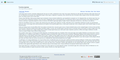 Example of the Lakeus Skin, with Ocean theme
 -
 Example of the Lakeus skin, with ArchWiki theme

